

Parent guide
How to create an account and order your eBook packages
A step-by-step walkthrough for IC parents buying digital courseware for the 2026 / 2027 academic year.
Before you start
Have your child's IC student email (ending in @ic.edu.lb), the grade and the programme (American or Lebanese) ready, plus a card that can be charged in USD. Registration and payment run from 1 August 2026 to 1 September 2026.
- 1
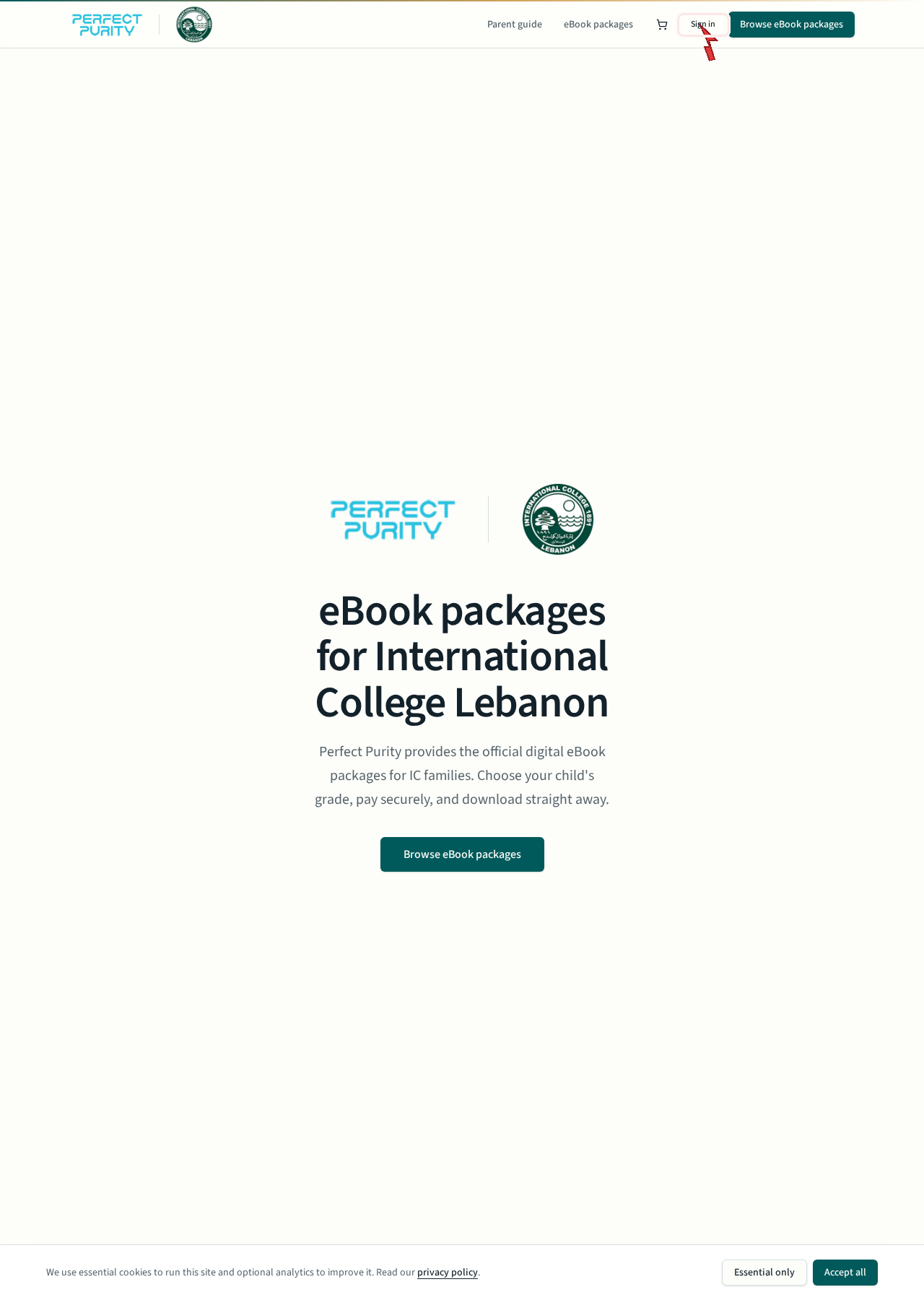
Go to the Perfect Purity eBook portal and sign in
- Open your browser and go to https://ebooks.perfectpurity.com.
- Once the page loads, look for the Sign in button in the top-right corner of the header.
- Click Sign in to open the account page where you can sign in or create a new account.
- New parents: select the Create account tab to register for the first time.
- 2
Create your Perfect Purity account
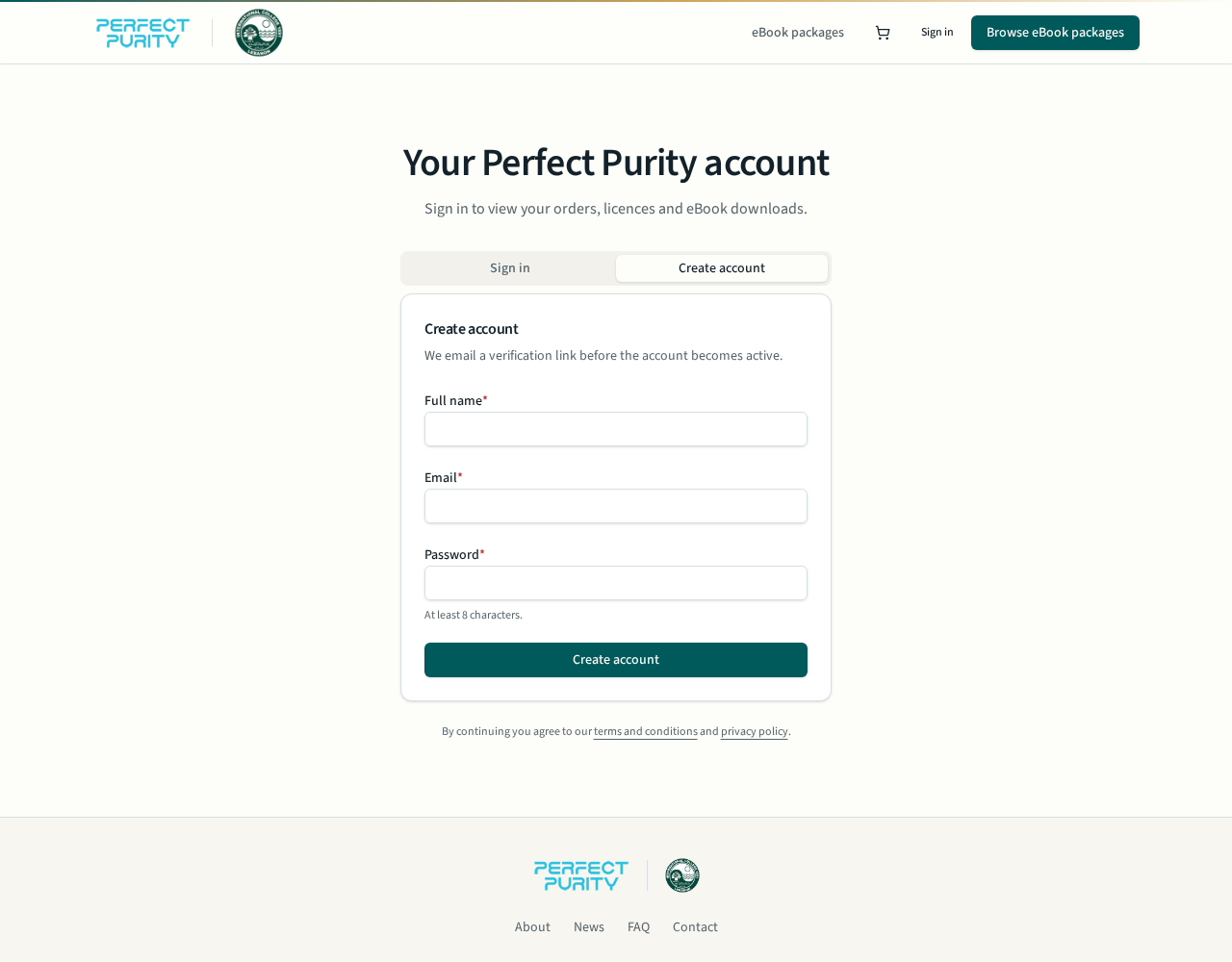
- Open the account page and switch to the Create account tab.
- Enter the parent's full name, a working email address and a password of at least 8 characters.
- We email a verification link — open it to activate the account, then sign in.
- Use one account per family. All of your orders, invoices and licences stay together in it.
- 3
Find your child's grade package
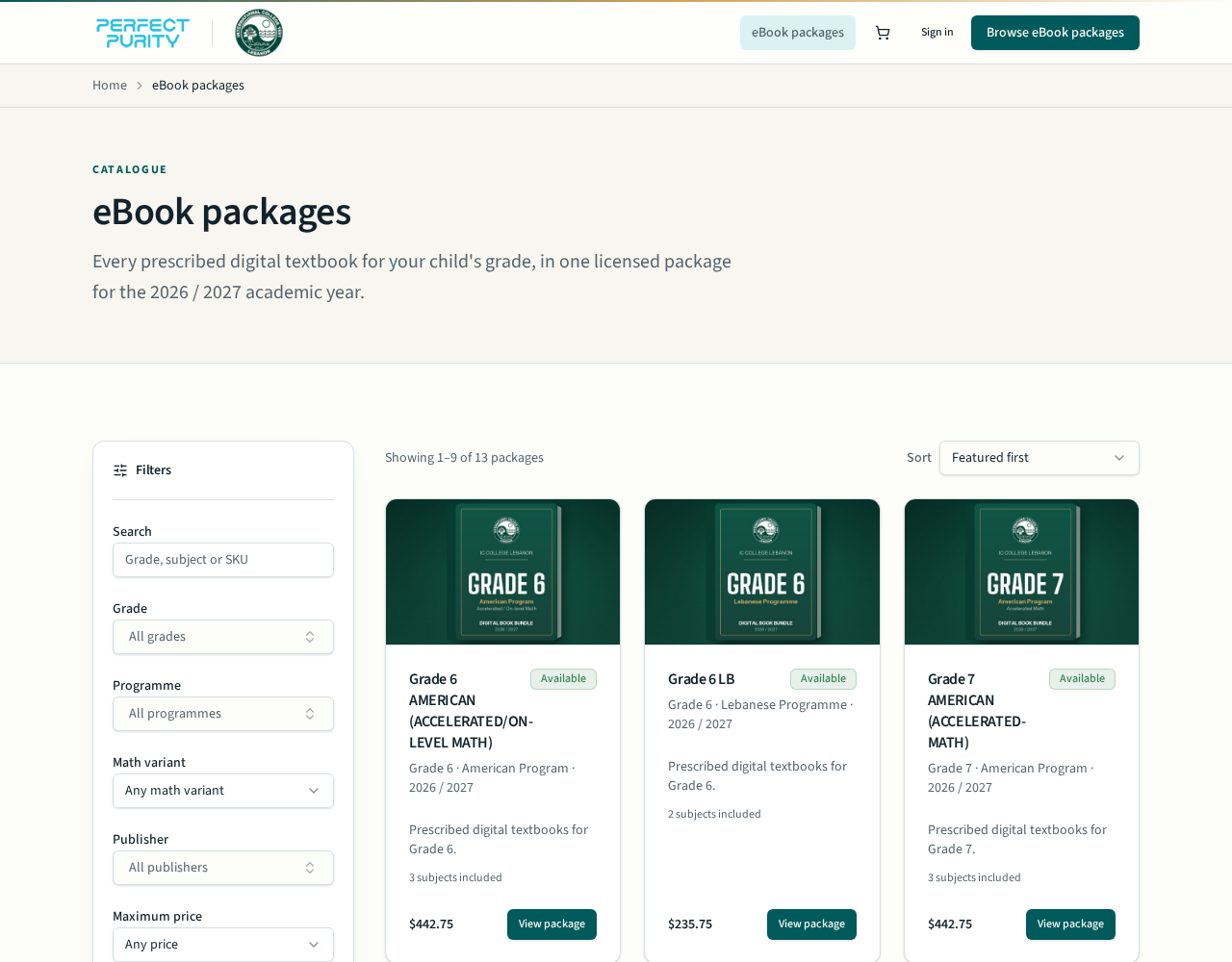
- Go to eBook packages. Every package covers one grade for the 2026 / 2027 academic year.
- Use the filters on the left: Grade, Programme (American or Lebanese), Math variant, Publisher and price.
- You can also type a grade, subject or SKU in the search box, and sort by price or featured.
- Packages are sold as a complete grade bundle — individual titles cannot be bought separately.
- 4
Check the package details, then add to cart
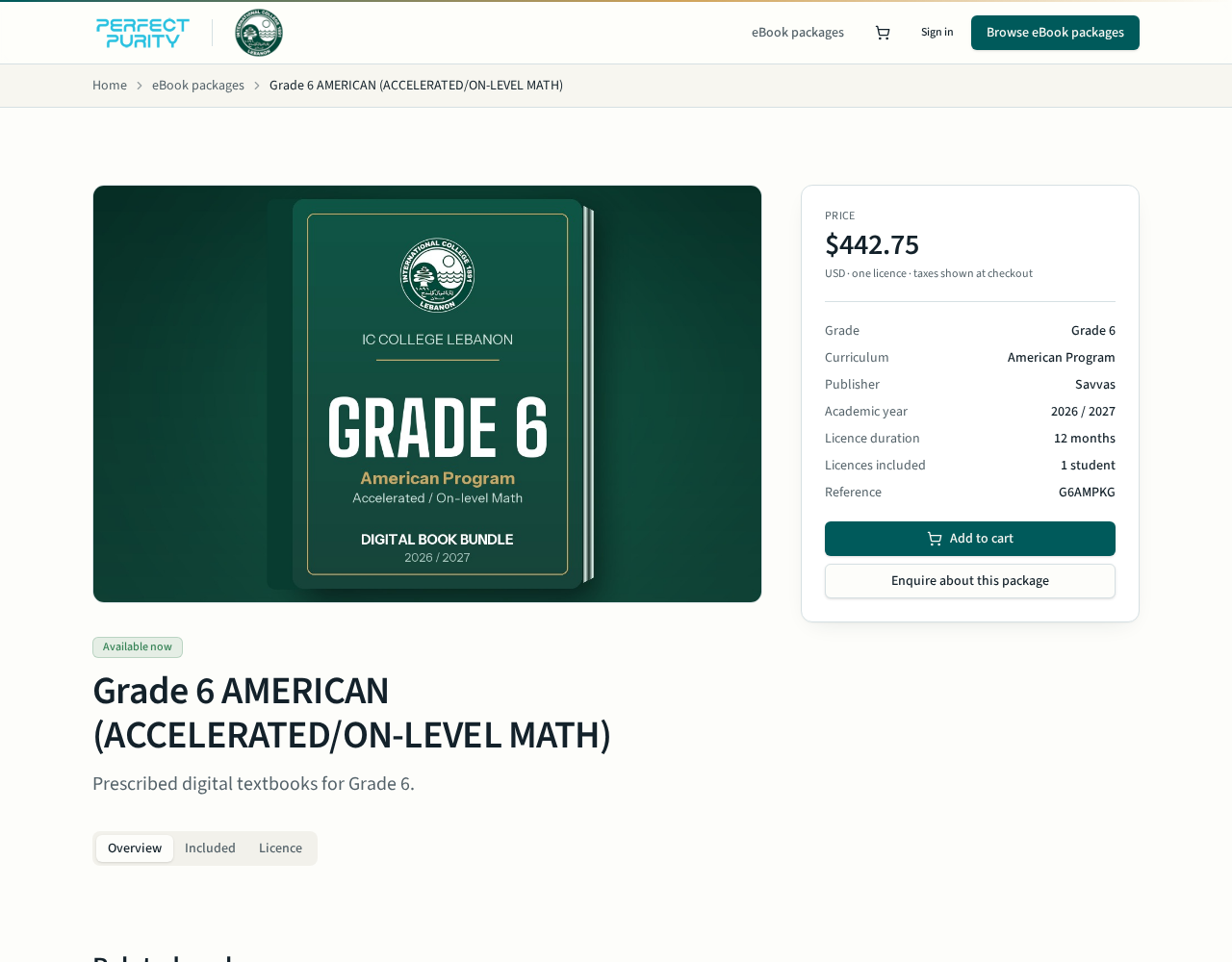
- Open a package to confirm the grade, programme, publisher, academic year and licence duration.
- The Included tab lists every digital textbook inside the bundle.
- Confirm the price shown in USD, then select Add to cart.
- Buying for more than one child? Add each grade package you need before checking out.
- 5
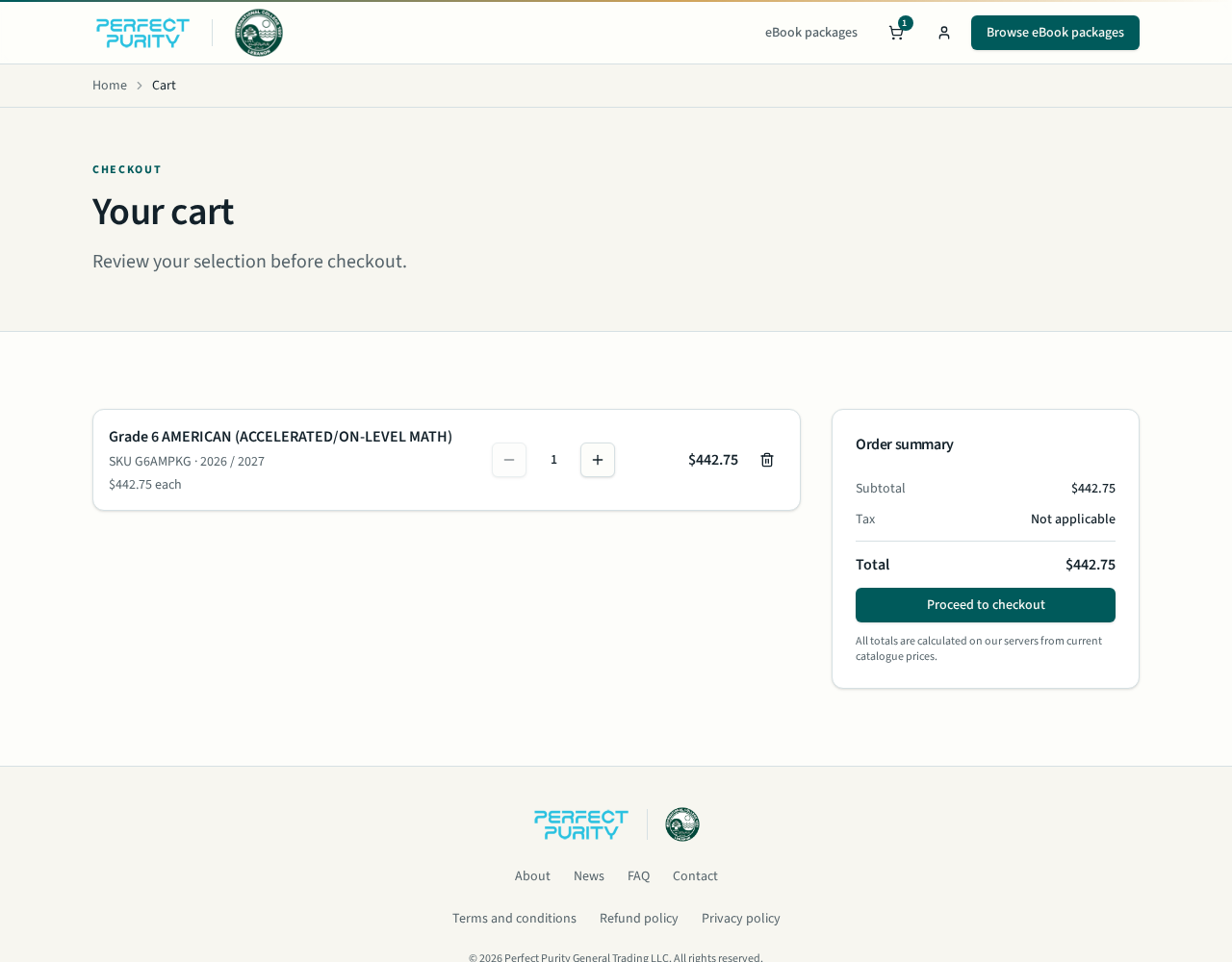
Review your cart
- Open the cart from the icon in the header to review your selection.
- Adjust the quantity — one licence is required per student — or remove an item.
- Check the order summary total, then select Proceed to checkout.
- 6
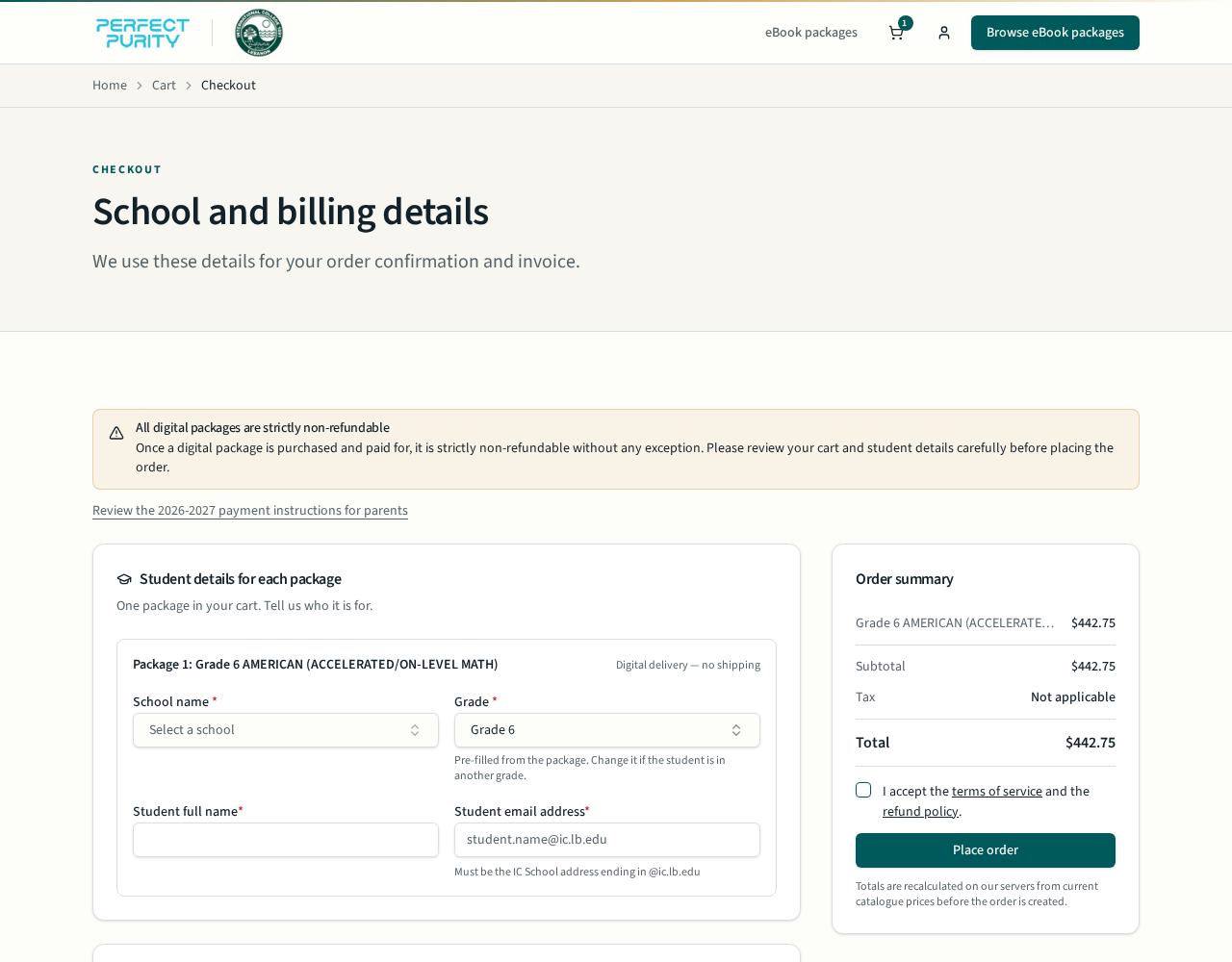
Enter student details at checkout
- For each package, choose the IC school branch and confirm the grade.
- Enter the student's full name and IC student email — it must end in @ic.edu.lb. Parent emails are not accepted for the student field.
- Add the parent or guardian email; order confirmation and receipts go to that address.
- Read the non-refundable notice and the payment instructions link, accept the terms, then select Place order.
- 7
Pay securely and get activated
- You are redirected to our bank's secure payment page to pay by card in USD. Do not close the browser until you return to Perfect Purity.
- After a successful payment you land on an order confirmation page and receive an email receipt.
- Activation is completed by our Technical Support team, and logins will be shared with parents by the end of August 2026; licences run for the full academic year.
- Sign in any time and open My account to view orders, invoices and licence status.
Need help?
Our team offers support Monday to Friday, 9 AM to 6 PM Dubai time (UTC +4), for technical, functional, financial and content questions. Email technical.support@perfectpurity.com or call +971 4 2779528 / +971 4 5876708.